Cards on file
Only the renter saves a card: at an online checkout, for a weekly series, or on their Account page at your studio. Their profile in Renters shows the card your studio can charge. Your team charges it from a booking or an unpaid daily or weekly bill; only the renter can replace or remove it.
In this section
How a card gets saved
Your team can’t type in a card for a renter. Only the renter saves one, on the secure card form, where your studio takes card payments online:
- An online booking. When the charge waits for free cancellation to end, the payment step saves the card and charges nothing yet (Save card and confirm). When the booking is payable right away, it saves the card and charges it (Save card and pay). On Quorin’s earliest payment setup (see Your Quorin plan and fees), the renter pays with Confirm and pay instead, and saving the card is a box they can tick.
- A weekly series. Booking one always saves the card, so each week can be charged on its own date.
- Their Account page at your studio. If they have no saved card yet, Add a card saves one with no booking, and gives your studio the same authorization as a checkout.
A payment link you send never saves the card.
What the renter agrees to
When they save the card, the renter ticks an authorization for your studio: you may charge it for their bookings, the fees your cancellation policy sets, and adjustments to their bookings, until they remove the card. They give it once per studio, and are not asked again at each booking unless they pay with a different card.
On Quorin’s earliest payment setup, there is no such standing authorization: the renter authorizes the booking or series they are paying for, each time, and a card added from their Account page authorizes nothing.
A renter keeps one card on their account for every studio they book with. Your studio can charge it only if they authorized your studio: another studio’s authorization does not count.
See which card is on file
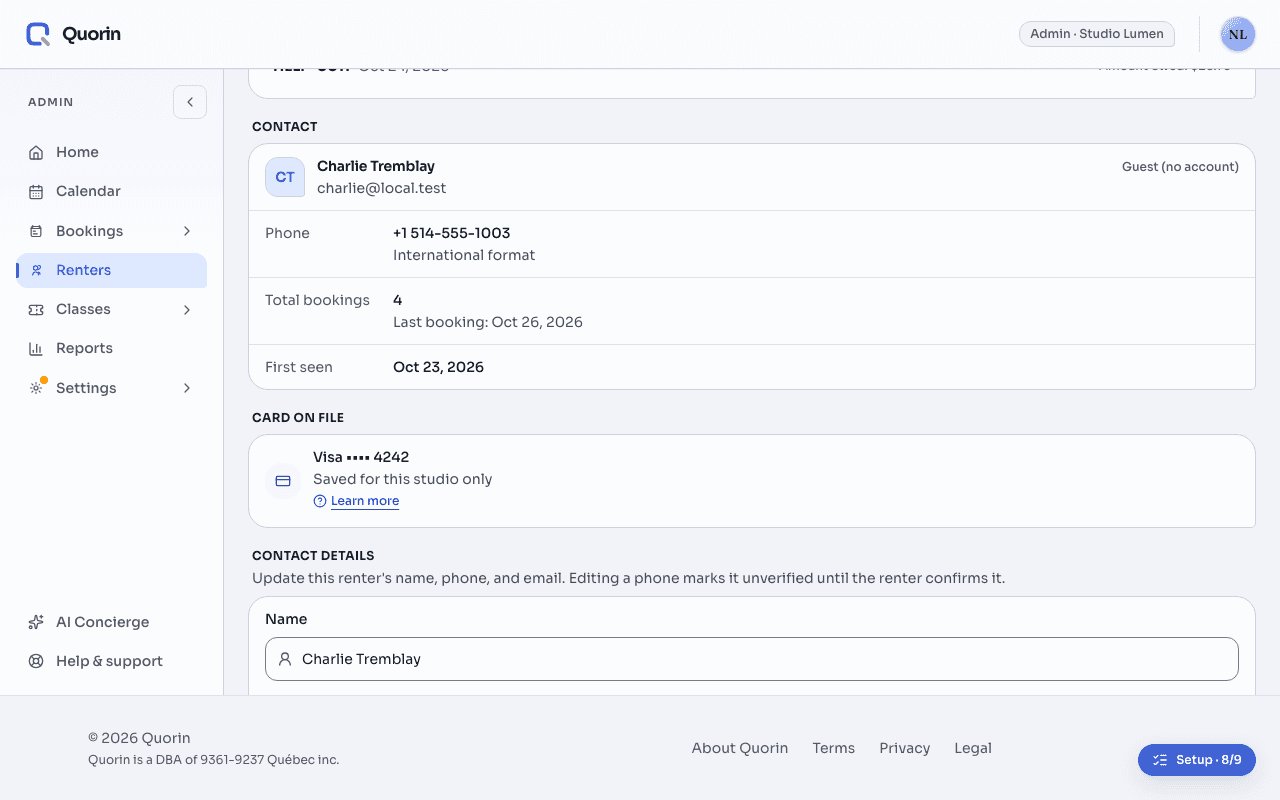
Open the renter’s profile from Renters. Card on file names the card your studio can charge, by brand and last four digits:
- A card saved to their account and authorized for your studio. Updated gives the date it was last saved, or last updated by the card’s bank.
- A card Saved for this studio only: one kept for your studio alone, which the renter manages under Cards saved at a single studio.
- A card is on file, but its details are not available. Your studio can charge a card, but Quorin can’t show its brand or last four digits.
- No card this studio can charge: there may be no card at all, or a card on their account that they have not authorized your studio to charge.
- The card on file could not be read. Quorin could not check it just now, which does not mean there is no card. Try again reads it again.
Charge it, or schedule a charge
A card is charged from a booking, and you are first shown the amount, the card and when. For a renter billed by the day or the week, each bill is charged to the card automatically once its bookings have ended, or later; a bill left unpaid is charged with Charge now, on their profile or in Unpaid bills on your Home. The steps for a booking are in Managing bookings:
- What happens to the money, when you create a booking: charge the card now, schedule the charge, or leave the booking unpaid (payment when you create).
- Collect payment, on the booking’s sheet: what it owes is charged once you confirm Charge the card on file? (collect what a booking owes).
- Schedule payment: charged when free cancellation ends (schedule a payment).
- Collect, on a renter’s row on your Home, then Charge card on file: what they owe today is charged once you confirm the amount and the card (How the Home page works).
- A booking the renter made online while free cancellation was still ahead needs nothing from you. Unless they are billed by the day or the week, their card is charged when free cancellation ends, and the calendar shows the booking Scheduled until then. Quorin sends scheduled charges once an hour.
Replace or remove a card
Your team can’t replace or remove a renter’s card. The renter does it on their account, under Payment method:
- Update card replaces it. The new card is used for the authorizations they already gave, including charges already scheduled.
- Remove card ends your studio’s authorization (for a card on their account, every studio’s). It is refused while they owe your studio money, while a charge is scheduled on the card, or while the card pays their daily or weekly bill.
When a charge fails
- If the card declines a charge you make, nothing is charged. The booking’s sheet says so and names the other ways to be paid: a payment you record, or the renter paying from their booking.
- A scheduled charge the card declines is tried once more an hour later, unless a retry cannot help: a card reported lost or stolen, refused outright by the bank, expired, mistyped or on a closed account, a card that can’t take this payment, or a payment the cardholder must confirm.
- If it still does not go through, the calendar shows the booking Payment failed, and team members who keep Payment follow-up alerts on get an email.
- When the card was declined, the renter also gets a message with a link to pay and a link to update their card, by text or email as their notification settings allow. Once they update the card, the charge is tried again on the new card within the hour.
Quorin never cancels a booking because a payment failed. The booking stays, and the amount is owed until it is paid or you record a payment.
ExampleSaturday 2–5 p.m., booked online on Monday
On Monday a renter books Saturday 2–5 p.m. online: $120 before tax, $137.97 with Quebec’s GST and QST. Your free cancellation ends 24 hours before the start, so nothing is due yet.
- At the payment step they enter a Visa ending 4242 and choose Save card and confirm. Nothing is charged, and the calendar shows the booking Scheduled.
- Friday just after 2 p.m., free cancellation has ended and Quorin tries to charge the card $137.97. The bank declines it for lack of funds, so it is tried again an hour later, and declined again.
- The calendar now shows Payment failed. The renter gets a message with a link to pay and one to update their card, and team members with Payment follow-up alerts on get an email.
- That evening the renter updates their card. Within the hour, the new card is charged $137.97 and the booking shows Paid. At no point was it cancelled.
Related
- Managing bookingsCreate a booking from the calendar or with New Booking, then run it from its sheet: change it, cancel it, collect it. Before anything is charged to a saved card, you are shown the amount, the card and the timing, and you choose.
- Renter profilesYour studio keeps one profile per phone number: no two renter profiles share a number, so a person on file with two numbers has two profiles. Under Renters you see each renter’s bookings and contact details, set their language while they have no account, and choose how their future bookings are billed.
- How the money reaches youStripe charges your renter’s card under your own business name and pays the money out to your bank. It never passes through Quorin.
Still stuck? Write to support@quorin.studio.